Super Run: Classic Game
- 4.2
- Rating
- 10.00M
- Installs
- Free
- Price
 Analysis by App-foxy
I spent time with Super Run: Classic Game as a lightweight adventure game, and my first impression was clear: it aims for the familiar pleasure of moving quickly, jumping over danger, and breaking through obstacles without asking me to learn a complicated control system. That makes it easy to understand, but it also means the quality of the experience depends heavily on how responsive the controls feel on your particular device and how patient you are with repeated attempts.
The game comes from skcreators and is free to install, with optional in-app purchases ranging from $0.99 to $99.99 per item. It is listed for Everyone, runs on Android 7.0 or later, and the current version is 2.61. Those details make it approachable for a wide range of Android users, especially anyone looking for something they can open for a short session rather than a large, demanding adventure that needs constant attention.
Getting past the first points of friction
The most common place I would expect a new player to get stuck is not the installation itself, but the gap between understanding the basic idea and actually controlling the character consistently. A classic run-and-jump game looks simple because the objective is obvious. In practice, timing a jump near an obstacle is much less forgiving when the screen is small, the touch response feels delayed, or the player is trying to move too quickly.
You May Also Like

 Blood Strike: 2.5 Anniversary
Blood Strike’s Loadouts Turn Every Drop Into a Tactical Gamble
A close look at Blood Strike’s custom loadouts: how fast access to signature weapons reshapes its battle royale rhythm, rewards preparation, and narrows the gap between fights.

 Pandora - Music & Podcasts
Pandora’s Music Is Easy to Start, but Harder to Recover
Pandora’s strength is its low-effort path from a seed to a station. Its weak spot is how much confidence it asks you to place in connection, setup, and quiet recovery.

 8 Ball Pool
 Is Built on Rivalries, Rematches, and Routine
A close look at the rivalries, rematches, shared routines, and unanswered safety questions that turn a quick pool match into a persistent mobile community.

 Samsung Music
’s Quiet Strength Is Playing What You Already Own
Its reach comes less from spectacle than from dependable access to a personal library. That simplicity is both the app’s strongest retention engine and its ceiling.

 AccuWeather: Weather Radar
AccuWeather Review: A Quick, Clear Forecast for Everyday Decisions
For everyday plans, the best forecast is the one you can understand quickly. AccuWeather makes rain timing, radar, and local conditions easy to act on, with a few trade-offs.

 Hill Climb Racing
Why Hill Climb Racing Still Turns Crashes Into One More Run
A tiny car, a bumpy hill and one more upgrade: Hill Climb Racing keeps resurfacing because its simple chaos makes every near-miss feel personal.
More From Our News Desk
View All News


I found it helpful to treat the opening attempts as a control check rather than a serious score run. Pay attention to how much movement happens after each touch, whether the character reacts immediately, and whether your finger is covering an important part of the screen. If the game feels unpredictable from the first few moments, restarting repeatedly will not solve the underlying problem. First make sure the phone is responding normally, then decide whether the difficulty is actually coming from the game.
Another early stumbling block is assuming that every failed jump is caused by poor timing. In a side-scrolling adventure, the position of the character when the jump begins matters just as much as the moment of the tap. Starting from too close to an obstacle leaves little room for correction. I had better results by watching the space ahead and preparing earlier, rather than reacting only when danger was already directly in front of me.
The useful mindset is to learn the rhythm before chasing progress. A few deliberate attempts reveal more than a long sequence of rushed ones. I would also avoid playing with a wet screen, greasy fingers, or a bulky case edge pressing against the display. Those are small details, but they can make a basic touch game feel unfair.
What to check before blaming the game
Because this is an offline-friendly style of game, it is suited to moments when I do not want to depend on a connection. That does not mean every problem during setup is a gameplay problem. If installation stalls, the first sensible checks are available storage, a stable connection during the download, and whether the phone meets the Android requirement. The minimum operating system is 7.0, so older devices below that level are not a good match from the start.
On a compatible phone, I would close other demanding apps before launching it if the device is older or already struggling. This is not about turning the game into a technical project; it is simply a way to remove background pressure while testing it. A fresh launch also makes it easier to tell whether a problem is repeatable or was only a temporary hiccup.
Screen rotation can create unnecessary confusion. I prefer to start with the phone held in the orientation that feels natural for the game and keep it there throughout a session. Constantly changing how I hold the device makes it harder to judge distances and can lead to accidental touches. If the display appears cropped or controls seem misplaced, restarting after confirming the phone’s display settings is a reasonable first step.
For families, the Everyone rating is reassuring in terms of the intended audience, but I would still let a child try the controls while an adult is nearby. The game is free to download, yet optional purchases are present. On a shared device, checking the purchase safeguards in the phone’s account settings is a practical precaution, especially when a child may be tempted to tap through a difficult section.
A calmer setup produces better play
My preferred setup is simple: install it while connected, open it once to confirm that the game starts correctly, and then try a short offline session. That sequence answers the question many users actually have: can this become a reliable travel or waiting-room game? If it launches and plays normally without a connection, it fits that role well. If the first launch behaves strangely, I would fix that before relying on it during a flight, commute, or area with weak reception.
I also recommend trying the game with notifications temporarily quieted. A banner appearing during a jump is enough to interrupt concentration, and this kind of game rewards short bursts of attention. The same applies to battery-saving modes on older phones: if animation or touch response feels inconsistent, compare a brief session with the phone operating normally before deciding that the game itself is at fault.
The current version, 2.61, is the one I would use when evaluating performance. If the app has been installed for a long time, checking that it is up to date is worthwhile, but I would not assume an update will automatically change the game’s feel. Updates can improve stability, yet the core experience remains a straightforward classic adventure rather than a completely different product.
Recovering when a run goes wrong
Failure is part of the design of a game built around jumping, running, and smashing through hazards. What matters is whether each restart teaches me something. I found three useful questions after a failed attempt: did I begin the jump too late, did I misread the distance, or did the control fail to register? Separating those possibilities prevents me from repeating the same mistake while calling it bad luck.
If a touch seems to be missed, I would test the same action in a quiet section rather than during the hardest moment. A clean test tells me whether the problem is consistent. I would also keep my finger movement short and intentional. Large swipes or taps near the edge of the display are more likely to become accidental gestures, particularly on phones that use edge navigation.
When progress appears to disappear after closing the game, the safest recovery approach is to reopen it normally and give the app a moment before trying anything drastic. I would avoid repeatedly clearing storage or uninstalling immediately, because those actions can remove local information and make it harder to know what happened. Restarting the phone is a reasonable general step if the app has frozen, but it should come after checking whether the entire device is behaving slowly.
This is also where expectations matter. A short, arcade-like adventure is not the same as a deep role-playing game with a large progression system. If I am expecting extensive customization, a detailed map, or a long narrative campaign, I may interpret a simple restart-based structure as a missing feature. The better way to judge it is by asking whether each attempt is enjoyable on its own.
Using short sessions to improve consistency
I would play in focused blocks instead of trying to force a long session. After several failed runs, my timing becomes less precise and I start tapping out of frustration. Taking a break for a few minutes usually helps more than continuing to repeat the same section. This is a small but important advantage of the format: the game works well as a quick distraction, so there is little reason to turn every attempt into a marathon.
A realistic everyday example would be waiting for an appointment. I could launch the game, play a handful of attempts, and close it without needing to remember a complicated story or reconnect to a multiplayer match. The same simplicity is useful on a trip when I want entertainment that does not compete with a video stream for attention or data. On the other hand, someone looking for a large world to explore during a long evening may find the experience too narrow.
Optional purchases are another part of the recovery question. If a difficult section makes me consider spending money simply to move past it, I would first try changing my approach and taking a break. The game is free, but individual purchases can cost from $0.99 to $99.99. That broad range makes it sensible to decide in advance whether I want to keep the experience entirely free and to avoid treating a purchase as a substitute for learning the controls.
When the phone or environment is the real problem
Not every crash, slowdown, or missed input points to a defect in the game. A phone with nearly full storage, many background processes, an aging battery, or a damaged touchscreen can produce symptoms that appear only during active play. I would compare the game with another touch-based app: if taps fail elsewhere too, the device deserves attention before the game does.
Heat can also change how a phone behaves. If the device becomes noticeably warm and performance worsens, I would stop, let it cool, and try again later without charging at the same time. That does not prove the game caused the heat; it simply removes one variable. Playing under direct sunlight can make the screen harder to read and can encourage harder, less accurate taps, so moving into shade is a surprisingly effective test.
Connection problems should be interpreted carefully as well. The game is presented as playable offline, which is valuable, but installation and any account-related phone functions can still depend on the wider device environment. If the game has already installed and launches normally, testing it with connectivity disabled can help establish whether a particular issue is actually related to the network. I would not repeatedly reinstall just because a connection briefly failed.
For children or casual players, the challenge may be less about technical trouble and more about screen ergonomics. A large phone held in one hand can make distant controls uncomfortable, while a small phone may leave less room to see what is coming. A stand or two-handed grip can improve control without changing the game. That is a better first adjustment than assuming the player simply lacks skill.
How it compares with other adventure choices
Compared with a story-heavy adventure, this game is much easier to pick up but offers less reason to stay for narrative discovery. I do not need to remember characters, objectives, or a large inventory to enjoy a short run. That makes it a better fit for quick breaks, children who prefer immediate action, and players who like repeating a challenge until their timing improves.
Compared with endless runners, its classic platforming flavor feels more deliberate. An endless runner often emphasizes continuous forward motion and rapid reaction, while this type of game gives the player a stronger sense that individual jumps and obstacles matter. The trade-off is that anyone who wants a constantly changing, score-focused loop may prefer an endless runner instead.
It also differs from premium adventure games that remove purchase prompts by charging upfront. Here, the download is free and optional purchases are available. That lowers the barrier to trying it, but families and careful spenders should be more alert around purchase controls. I would choose this game when I want to sample the experience first, and choose a paid alternative when I value a cleaner, more self-contained purchase model.
The large audience helps explain why it is easy to find and why it has remained visible: it has passed over ten million installs, with an average rating of 4.2 from around sixteen thousand ratings and 306 reviews. Those figures suggest broad appeal, but they do not guarantee that its touch feel will suit every phone or every player. I treat them as a reason to try it, not as a promise that it will replace a more sophisticated adventure game.
My practical verdict after using it
I recommend Super Run: Classic Game to players who want a free Android adventure that can be understood quickly and enjoyed offline. Its strongest quality is its directness. I can open it, start moving, and focus on the next jump without working through a long tutorial or managing a complicated system. The classic jungle setting gives the action a familiar shape, while the short-session format makes it useful for spare moments.
I would be more cautious about recommending it to someone who dislikes repeated failures, expects modern visual depth, or wants a substantial story. The game’s appeal comes from simple action and improving timing, not from a broad world or a rich set of systems. Players with older phones should also test responsiveness early, because a small amount of input lag can turn an enjoyable challenge into unnecessary irritation.
My best advice is to install it, test a few jumps in a quiet setting, and decide based on how accurately the controls match your hands. Keep the first session short, confirm that it works offline, and set purchase protections before handing the phone to a child. If those checks go well, it becomes an easy game to keep available for travel, waiting rooms, or a quick break.
Overall, I see it as a modest but useful choice rather than a complete adventure replacement. The developer, skcreators, has kept the idea accessible enough for a broad audience, and the Everyone rating supports that approachable position. Choose it for quick classic platforming and simple offline play, not for a deep campaign or a technically demanding modern experience. That distinction is what makes the free download worthwhile for the right player.
FAQs for Super Run: Classic Game
01What is Super Run: Classic Game?
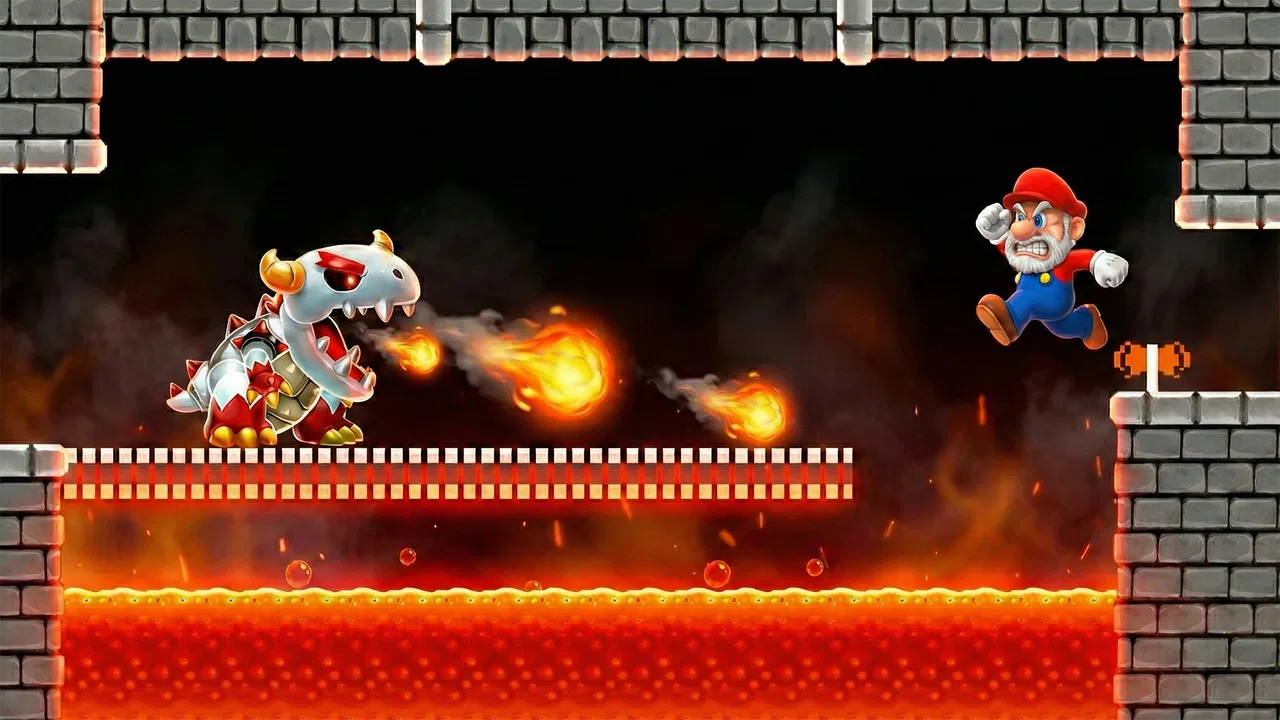
Super Run: Classic Game is a retro-inspired platform game built around fast-paced running, jumping, enemy avoidance, and collectible items. Its visual style and level design aim to recreate the feel of classic side-scrolling adventures while using simple touchscreen controls. Players generally progress through colorful stages, overcome obstacles, and try to reach the finish with as many points and rewards as possible.
02How do you play Super Run: Classic Game on a phone or tablet?
The game is designed for touchscreen play, so the controls are usually easy to understand for both casual and experienced players. You guide the character through each level by moving, jumping, and avoiding hazards at the right moment. Timing is especially important because obstacles and enemies can appear quickly. Before downloading, make sure your device responds accurately to touch gestures for a smoother experience.
03Is Super Run: Classic Game free to download and play?
Super Run: Classic Game may be available as a free download, but the exact monetization system can depend on the version distributed through the Android or iOS store. Free games may include advertising, optional purchases, extra lives, or other in-game items. It is worth checking the store listing and purchase details before installing, particularly if children will be using the device.
04Does Super Run: Classic Game require an internet connection?
The basic platforming experience may work without a permanent internet connection, which makes the game convenient for short sessions while traveling or when mobile data is unavailable. However, certain features can still require connectivity, including advertisements, updates, leaderboards, cloud-related services, or optional purchases. For the most accurate information, review the current store description and test the game after installation.
05Is Super Run: Classic Game suitable for children and casual players?
Super Run: Classic Game can be a suitable choice for players who enjoy straightforward arcade action and classic platforming mechanics. The concept is easy to understand, although later stages may become more demanding and require quick reactions. Parents should review the listed age rating, advertising policy, and possible in-app purchases before allowing younger players to use the app regularly.
Pros
- Simple controls make it easy to start playing immediately.
- Short levels are convenient for quick gaming sessions.
- Classic platforming style feels familiar to retro game fans.
- Offline play is useful when no internet connection is available.
- Bright visuals and sound effects make the gameplay lively.
Cons
- Gameplay may become repetitive after extended sessions.
- Some levels can feel difficult without precise timing.
- Advertising may interrupt the experience between stages.
- Limited variety can reduce long-term replay value.
- Older devices may experience occasional performance issues.

Super Run: Classic Game
Gallery